

- Why Use a Free WordPress Image Slider Plugin?
- Features to Look for in the Best Free Image Slider for WordPress
- 1. Slider, Gallery, and Carousel by MetaSlider
- 2. Smart Slider 3 - by Nextendweb
- 3. Responsive Slider Gallery - by A WP Life
- 4. Image Slider - by GhozyLab
- 5. Super block slider – by Michael
- 6. Carousel Slider - by Sayful Islam
- 7. Swipe Slider – by Plugin Envision
- 8. Robo Gallery – by robosoft
- 9. Ultimate Responsive Image Slider - by FARAZFRANK
- 10. Prime Slider Addons for Elementor - by bdthemes
- Conclusion
If you’re searching for a free WordPress image slider plugin, you’re in the right place. Image sliders are a great way to highlight important content, showcase products, display portfolio images, and make your website more engaging. The best free image slider for WordPress should be responsive, easy to customize, and work smoothly on all devices.
Fortunately, WordPress offers many excellent slider plugins that allow you to create beautiful slideshows without writing any code. In this guide, we’ve compiled some of the best image slider plugins for WordPress that are free, mobile-friendly, and simple to set up. Whether you’re running a blog, business website, portfolio, or online store, you’ll find a suitable slider plugin here.
Why Use a Free WordPress Image Slider Plugin?
A free WordPress image slider plugin allows you to showcase important content, featured products, portfolio images, or announcements in an attractive slideshow format. Sliders can make your website look more professional while helping visitors quickly discover key information. Most modern slider plugins are responsive, ensuring your slides display properly on desktops, tablets, and mobile devices. Whether you run a blog, business website, or online store, an image slider can improve user engagement and enhance the overall browsing experience.
If you’re new to sliders, don’t forget to check out our guide on How to Add an Image Slider in WordPress for a complete beginner-friendly tutorial.
Features to Look for in the Best Free Image Slider for WordPress
When choosing the best free image slider for WordPress, look for features such as responsive design, easy customization, touch navigation, and shortcode support. A good slider plugin should allow you to add unlimited images, control slide transitions, and display sliders anywhere on your website. Additional features like drag-and-drop editing, autoplay functionality, video support, and pre-designed templates can make managing sliders even easier. The best image slider for WordPress should be lightweight, user-friendly, and compatible with your theme and other plugins.
1. Slider, Gallery, and Carousel by MetaSlider

MetaSlider is one of the most popular and widely used image slider plugins for WordPress. It allows you to create responsive image sliders, slideshows, carousels, and galleries within minutes without any coding knowledge. The plugin comes with a simple drag-and-drop interface that makes it easy to add and arrange images from your WordPress Media Library.
One thing I like about MetaSlider is its compatibility with popular page builders such as Elementor, Divi, Beaver Builder, and the WordPress Block Editor (Gutenberg). You can easily add captions, links, and SEO-friendly details to your slides to improve both user experience and search engine visibility. The free version offers all the essential features needed to create attractive image sliders, while the Pro version adds advanced functionality such as video sliders, WooCommerce product sliders, post feed sliders, custom HTML slides, and more.
Key Features:
- Responsive and mobile-friendly slider design
- Easy drag-and-drop slider builder
- Image sliders, carousels, slideshows, and galleries
- SEO-friendly slide settings
- Compatible with Elementor, Divi, Gutenberg, and other page builders
- Supports image captions and custom links
- Video slider support in Pro version
- WooCommerce product sliders (Pro)
2. Smart Slider 3 – by Nextendweb
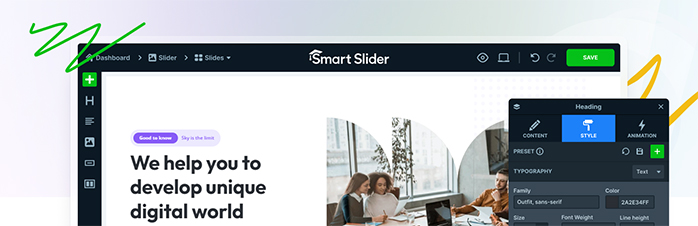
Smart Slider 3 is one of the most advanced and beginner-friendly WordPress slider plugins available today. It allows you to create beautiful image sliders, video sliders, post sliders, and interactive content sections without writing a single line of code. The plugin features a visual drag-and-drop editor that works much like a page builder, making it easy to design professional-looking sliders. Smart Slider 3 is fully responsive, SEO-friendly, and compatible with popular page builders such as Elementor, Divi, Beaver Builder, WPBakery, and Gutenberg. Whether you’re creating a simple image slideshow or a complex animated hero section, Smart Slider 3 provides all the tools you need.
Key Features:
- Responsive and mobile-friendly slider layouts
- Easy drag-and-drop visual slide editor
- Image, video, and WordPress post sliders
- Ready-to-use slider templates
- Hide layers on specific devices
- Adaptive font sizing for responsive designs
- Import and export slider functionality
- Dynamic slides generated from WordPress posts
- Autoplay and timing controls
- Slide thumbnail navigation
3. Responsive Slider Gallery – by A WP Life
Responsive Slider Gallery plugin allow you to show image slider on your wordpress website. You can also show slider on top of the homepage which is the recommended and perfect position to show image slider.
To add/use this plugin you need to install this on wordpress. And after adding all images and setting up other required setting of the plugin you will get a short code that you have to add into your site code. Add that code where you want to show the image slider.
Like if you want to add slider in header top then you have to add this to your header.php file. Code will look something like this ( [responsive-slider id=111] ).
Key Features:
- Create a responsive photo slider that fits any screen size.
- Arrange your image slide order with smooth drag and drop.
- Batch upload multiple photo files directly from your media library.
- Place your slideshow anywhere using a flexible shortcode.
- Add a photo slider widget into your sidebar or footer area.
- Set custom width and height to fit your website design.
4. Image Slider – by GhozyLab
Image Slider is a beginner-friendly WordPress slider plugin that makes it easy to create responsive image sliders without any coding knowledge. Using a simple interface, you can build attractive slideshows, reorder images with drag-and-drop functionality, and display sliders anywhere on your website using shortcodes. The plugin is fully responsive, ensuring your sliders look great on desktops, tablets, and mobile devices. It also includes multiple transition effects, autoplay options, lightbox support, and customizable navigation controls, making it a solid choice for users looking for a lightweight and easy-to-use image slider plugin.
Key Features:
- Fully responsive and mobile-friendly design
- Create unlimited image sliders
- Easy drag-and-drop image management
- Display sliders on posts, pages, and widgets
- Shortcode generator for easy embedding
- Autoplay on/off option
- Adjustable slider delay and timing settings
- More than 25 transition and animation effects
- Horizontal, vertical, and fade slide transitions
- Lightbox support for slider images
- Adaptive slider height option
- Navigation arrows and controls
- Beginner-friendly setup with no coding required
5. Super block slider – by Michael
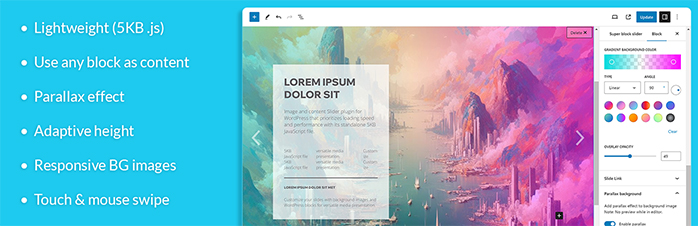
Super Block Slider is a lightweight WordPress slider plugin designed for users who want complete control over their slider content and layout. Unlike traditional image slider plugins, it allows you to create content-rich sliders using WordPress blocks while maintaining excellent performance with its lightweight codebase. The plugin supports responsive background images, customizable navigation styles, parallax effects, gradient overlays, and smooth transition animations. Whether you’re building a hero section, promotional banner, or content slider, Super Block Slider offers a flexible and modern solution that works seamlessly with both the Block Editor and Classic Editor.
Key Features:
- Lightweight and performance-focused design
- Content sliders built with WordPress blocks
- Customizable image and background sliders
- Compatible with Gutenberg and Classic Editor
- Shortcode support for easy placement
- Responsive background images for desktop, tablet, and mobile devices
- Title-based or dot icon slider navigation
- Parallax background effects
- Adaptive slider height
- Slide and fade transition effects
- 20 built-in transition animations
- Fully responsive design
- Ideal for hero sections, banners, and content-focused sliders
6. Carousel Slider – by Sayful Islam

Carousel Slider is a versatile WordPress carousel plugin that allows you to create responsive image sliders, video carousels, post sliders, logo showcases, and WooCommerce product carousels with ease. The plugin is lightweight, touch-enabled, and highly customizable, making it suitable for blogs, business websites, portfolios, and online stores. It integrates seamlessly with popular page builders like Elementor, Divi, Gutenberg, and WPBakery, allowing you to display engaging carousel content anywhere on your website without requiring coding skills.
Key Features:
- Create image, video, post, logo, and WooCommerce product carousels
- Fully responsive design for desktop, tablet, and mobile devices
- Compatible with Elementor, Divi, Gutenberg, WPBakery, and SiteOrigin
- Hero slider support with background images, text, and call-to-action buttons
- WooCommerce product carousel with category and product filtering options
- Touch swipe and drag navigation for mobile-friendly browsing
- Lazy loading support for improved website performance
- Customizable navigation controls, pagination, colors, and carousel layouts
7. Swipe Slider – by Plugin Envision
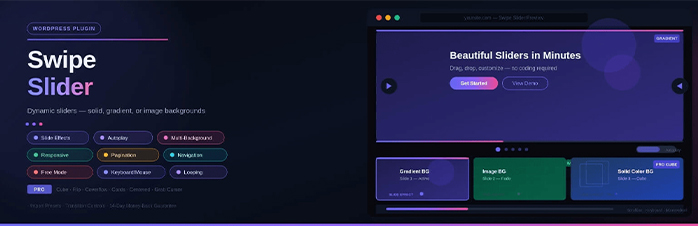
Swipe Slider is a modern and feature-rich WordPress slider plugin that helps you create interactive and visually appealing sliders without any coding. Whether you want to showcase images, promotional content, portfolios, or call-to-action sections, the plugin offers a flexible drag-and-customize experience. With support for multiple background styles, responsive layouts, autoplay functionality, and advanced navigation controls, Swipe Slider makes it easy to build engaging sliders that look great on both desktop and mobile devices.
Key Features:
- Fully responsive design for desktop, tablet, and mobile devices
- Ready-made slider patterns and presets for quick setup
- Solid color, gradient, and image background options
- Add unlimited content including text, headings, buttons, and more
- Multiple transition effects including Slide, Fade, and Creative animations
- Autoplay, looping, and customizable slide transition controls
- Advanced navigation, pagination, and scrollbar customization
- Keyboard, mousewheel, and touch-swipe navigation support
8. Robo Gallery – by robosoft
Robo Gallery is a feature-rich WordPress gallery plugin that helps you create beautiful image galleries, photo albums, video galleries, and sliders with ease. The plugin offers multiple gallery layouts, responsive designs, advanced navigation options, and a customizable lightbox to showcase your images professionally. Whether you’re building a photography portfolio, business gallery, or media-rich website, Robo Gallery provides flexible customization options while maintaining excellent performance across desktop and mobile devices.
Key Features:
- Multiple gallery layouts including Grid, Masonry, Mosaic, Justified, Polaroid, and Slider
- Fully responsive and mobile-friendly design
- Built-in lightbox with fullscreen, slideshow, zoom, and download options
- Video gallery support for YouTube, Vimeo, Facebook, Twitch, Wistia, and more
- Advanced navigation with filters, search, breadcrumbs, pagination, and lazy loading
- Create unlimited albums with multi-level gallery organization
- Social sharing support for Facebook, Pinterest, LinkedIn, WhatsApp, Reddit, and more
- Compatible with Gutenberg, Elementor, widgets, and shortcodes for easy placement
9. Ultimate Responsive Image Slider – by FARAZFRANK
Ultimate Responsive Image Slider is a powerful yet beginner-friendly WordPress image slider plugin that makes it easy to create professional-looking sliders without any coding. Whether you want to showcase products, portfolio images, featured content, or promotional banners, the plugin offers a simple interface and plenty of customization options. It is fully responsive, mobile-friendly, and optimized for performance, making it a great choice for blogs, business websites, online stores, and portfolios. With support for unlimited sliders, image captions, thumbnail navigation, and flexible placement options, Ultimate Slider helps you create engaging visual content in just a few minutes.
Key Features:
- Create unlimited sliders with unlimited images
- Fully responsive and mobile-friendly design
- Easy drag-and-drop slide management
- Supports image titles, descriptions, and text overlays
- Multiple navigation styles including arrows, bullets, and thumbnails
- Fade and slide transition effects with customizable speed
- Autoplay slideshow functionality with timing controls
- Compatible with posts, pages, widgets, and theme templates
- Lazy loading support for improved performance
- SEO-friendly with image alt text support
10. Prime Slider Addons for Elementor – by bdthemes

Prime Slider is a popular Elementor addon that helps you create beautiful and interactive sliders directly within the Elementor page builder. Whether you need a hero slider, image carousel, product showcase, testimonial slider, or post slider, the plugin provides a wide range of ready-to-use widgets and templates to speed up the design process. With its drag-and-drop customization options, responsive layouts, and performance-focused design, Prime Slider makes it easy to build engaging sliders without writing any code.
Key Features:
- 30+ free Elementor slider widgets
- 75+ pre-designed slider templates and layouts
- Create hero, image, logo, content, post, video, testimonial, and WooCommerce product sliders
- Fully responsive and mobile-friendly design
- Drag-and-drop customization inside Elementor
- Autoplay, navigation controls, and user interaction features
- SEO-friendly image titles and alt text support
- Lightweight, performance-optimized, and caching-friendly
- RTL and multilingual support
Conclusion
Choosing the right free WordPress image slider plugin can improve your website’s appearance and help visitors discover your most important content. The plugins listed above are among the best free image slider plugins for WordPress, offering responsive designs, easy customization, and useful features for different types of websites. Try a few options and choose the best image slider for WordPress that matches your needs and design preferences.